Introduction to Permissions
Prerequisites and definitions
Profile
Managing permissions to access UI is restricted to HOPEX Customizer profile.
Permissions
Permissions (or access rights) of a Profile are defined by its associated Set of UI access rights.
You can manage:
• object UI Permissions

 For information on management of workflow UI access, see Managing Permissions on Workflows.
• general UI Permissions
Performance
For optimum performance, after modifying permissions you must compile the permissions.
Permission compilation is recommended in a production environment, see Compiling an Environment.Accessing the Permissions management pages
The Profiles & Permissions navigation menu enables management of UI access for the complete environment and for each Set of UI access rights:
• Object UI Permissions details its access to UI of objects and its access to tools specific to these objects.
• General UI Permissions details its access to general UIs.
To access the Permissions management pages:
1. Log in to the HOPEX Studio desktop with the HOPEX Customizer profile.
2. Click the Profiles & Permissions navigation menu.
The Profiles & Permissions management sub-menus appear.
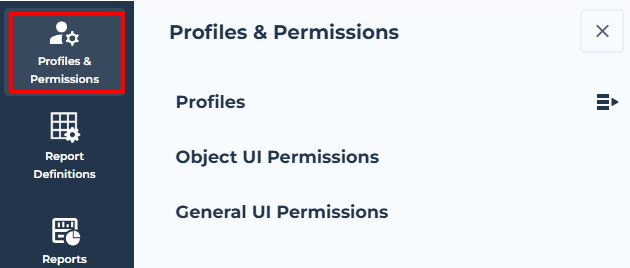
3. Select the sub-menu:
• Object UI Permissions to manage access to object UI
• General UI Permissions to manage access to general UI