Accessing Review Notes
You can access:
• all your review notes classified by type
• the review notes of an object
Accessing all your review notes
Your review notes are classified by type:
• opened or validated review notes of which you are the author
• opened or validated review notes to which you participate
• closed review notes
To access all your review notes:
1. In your HOPEX desktop toolbar, click the Collaboration  menu.
menu.
menu.2. Select To Do List  > Review Notes
  .
.
> Review Notes .
All the opened or validated review notes of which you are the author appear.
3. To display other types of review notes, select the tab:
• Open/Validated (participant)
• Closed
Accessing the review notes of an object
Review notes are classified by type:
• opened or validated review notes
• closed review notes
• all review notes
To access the review notes of an object:
1. Access the object properties.
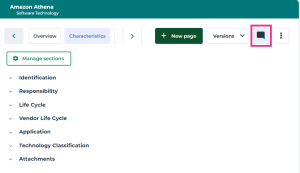
2. In the menu bar of the property pages, click Review Notes .
.
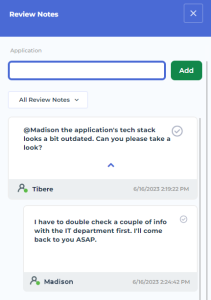
The Review Notes window open on the right of the desktop.
3. Select the type of review note to which you want access.
The review notes (of the type chosen) added to the object appear.
E.g.: All Review Notes.