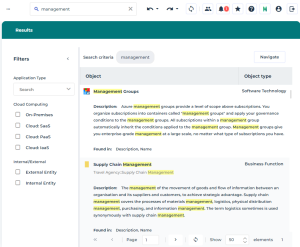
Filters
For each full-text search result, the Filters pane shows filters calculated dynamically according to the search result.
These filters are attributes of objects.
As soon as a filter value is selected, the other filter values are updated accordingly.
E.g.: the filters returned with a full text search on all the object types including “management”.
 Click Collapse
  to hide the filter pane.
The search of results is performed according to the following rules:
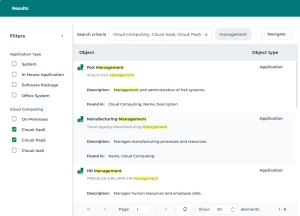
• within the same filter type, the OR operator is applied
Example:
Search: “management”
Filter Cloud Computing: “Cloud:SaaS” and “Cloud:PaaS”
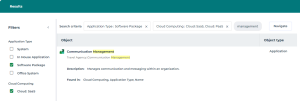
• between filter types, the AND operator is applied
Example:
Search: “management”
Filter 1 Cloud Computing: “Cloud:SaaS” and “Cloud:PaaS”
Filter 2 Application Type: “Software Package” (the “Cloud:PaaS” value disappears from the Cloud Computing filter as no application of “Software Package” Type is in “Cloud:Paas”)