Interfaces
It is possible to complement the description of a use case or actor by describing the interfaces by which it communicates with its environment.
Creating an Interface
To create an interface in a use case diagram:
1. In the diagram objects toolbar, click the Interface button.
 If the Interface button does not appear in the toolbar, select View Views and Details and select Classes.
2. Click in the diagram.
3. In the dialog box that appears, enter the name of the interface and click the Add button.
The interface appears in the diagram.
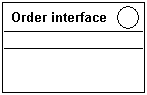
Connecting an interface to a use case
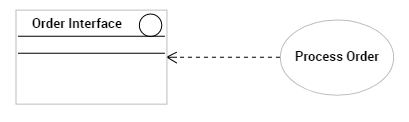
When you connect an interface to a use case, you must specify if it is a supported interface or an interface required by the use case.
To specify the type of link between an interface and a use case:
1. Click Connect  and drag the link from the use case (eg: Process Order) to the interface (eg: Order Interface).
and drag the link from the use case (eg: Process Order) to the interface (eg: Order Interface).A dialog box appears:
2. Indicate the type of link to be created.
• Required interface
• Supported interface
3. Click OK.
The link then appears in the diagram.
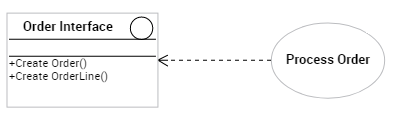
You can detail which operations the use case can carry out via this interface.
 For more details on required and supported interfaces, see Linking interfaces to other objects.