SvcV-1 Service Catalogs
Accessing service catalogs
To access service catalogs:
 From the navigation bar, click Services Viewpoint > SvcV-1 > Services Catalogs.
Three tabs correspond to the different types of service catalogs.
• Technical Service Catalog
• Information Service Catalog
• Hardware Service Catalog

Once you have created the service catalog you need to specify the service catalog items, which are functionalities.
 You can create catalog items from the service catalog properties or from the "Service Catalog Items" tile.
Populating service catalogs and specify functionality fulfillment
Now you need to:
• populate your service catalog with service catalog items (linked to functionalities)
• specify how the functionality is fulfilled.
To populate your service catalog:
1. In the navigation bar click Services Viewpoint > SvcV-1 Services Context Description > Service Catalog Items.
2. Select one of the tabs corresponding to the type of service catalog of interest to you.
• Technical service catalog item
• Information service catalog item
• Hardware service catalog item
3. Select a service catalog from the drop-down list and create catalog items (which are functionalities).
You are now going to specify which object fulfills each functionality.
4. Position your cursor at the right end of the interface at the catalog item level and click the  sign which appears.
sign which appears.A dialog box enables you to specify how the functionality is fulfilled.
A functionality can be fulfilled by several objects (called also agents or artifacts).5. In the Recommendation Status column, select the objects you actually want to include in your service catalog.
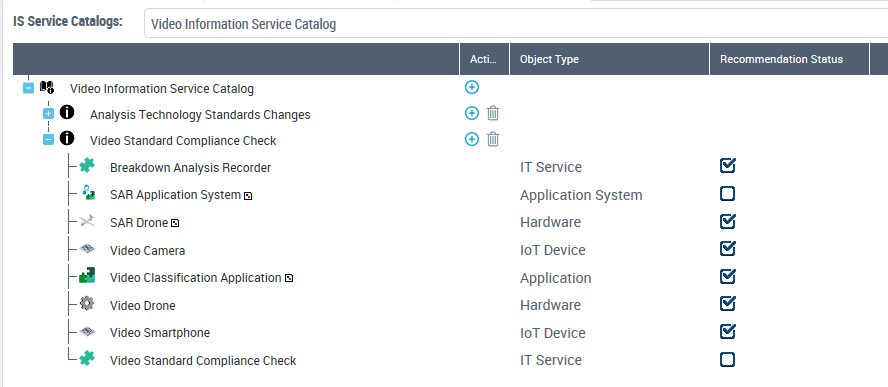 The realizations can be accessed from the property page of service catalog items.
Functionality Diagram
To create a functionality diagram:
1. In the navigation bar click Services Viewpoint > SvcV-1 Services Context Description > Service Catalog Items.
2. Right-click a service catalog item from your asset catalog and select New Functionality Diagram.
You can display the following in this type of diagram:
• Technical functionalities
• Functionality components
• Functionality dependencies
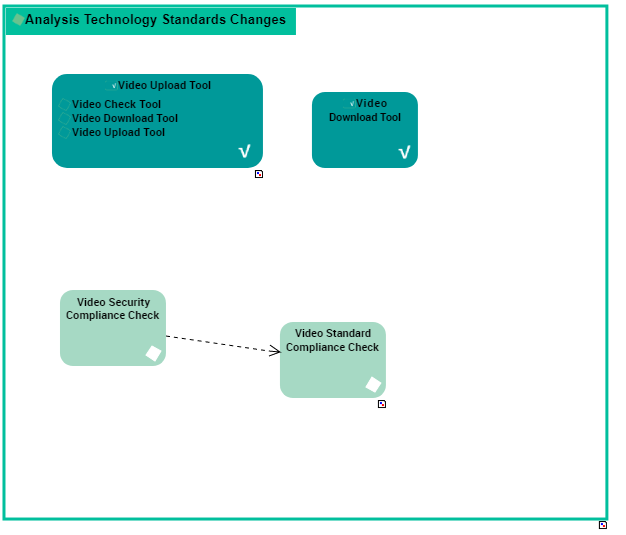
Example of functionality diagram