Entities (IDEF1X)
 An entity groups objects that share the same characteristics and have similar behavior. Entities are management elements considered useful for representing enterprise activity, and are therefore reserved for this purpose. They may, for example, have corresponding tables in a database.
You can compare the entity concept to sheets in files for example.
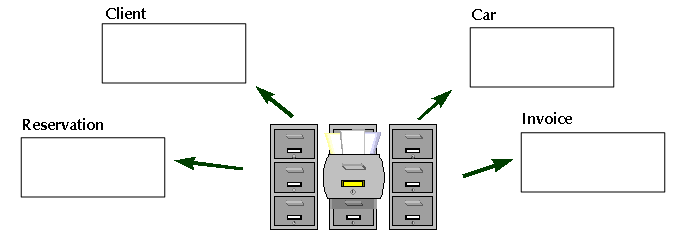
An entity represents a particular object class, of which all instances can be described in the same way.
An entity is “independent” if each instance of the entity can be uniquely identified without determining its relationship to another entity. An entity is “dependent” if the unique identification of an instance of the entity depends upon its relationship to another entity.
An entity is represented as a box. If the entity is identifier-dependent, then the corners of the box are rounded.
Creating an entity
To create an entity:
1. Click the Entity button  in the diagram objects toolbar.
in the diagram objects toolbar. 2. Click in the diagram.
The Add Entity (DM) dialog box opens.
3. Enter the entity name.
4. Click Create (Windows Front-End) or Add(Web Front-End).
The entity appears in the diagram.
Attributes
An attribute represents a type of characteristic or property associated with a set of real or abstract things. An instance of an entity will usually have a single specific value for each associated attribute. An attribute or a combination of attributes can be an identifier when selected as a means of identification of each instance of an entity.Examples of attributes:
• "Client Name" (property of the client entity).
• “Client No.” (identifier of the client entity).
• “Account Balance” (property of the account entity).
Defining attributes
To create an attribute:
1. Right-click the entity and select Properties.
The entity properties dialog box opens.
2. Select the Attributes tab.
3. To add a new attribute to the entity, click button  .
.
.A default name is automatically proposed for the new attribute. You can modify this name.
You can specify its Data type.
Example: Numeric value.
A datatype is used to group characteristics shared by several attributes. Datatypes are implemented in the form of classes. See Data Types and Column Datatypes for more details on data types that can be assigned to an attribute.
Inherited attributes
When a categorization relationship (generalization) exists between a general entity and a more specialized entity, the specialized entity inherits the attributes of the general entity.
See Generalizations.
Specifying the entity identifier
To specify the entity identifier:
1. Open the properties window of the entity.
2. Select the Attributes tab.
3. For the chosen attribute, select "Yes" in the Identifier column.
For more details, see Entity Identifier.