Approving a Process
To approve a process design:
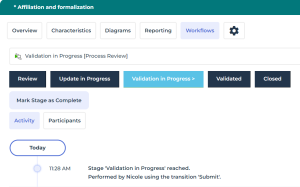
1. Analyze process updates.
 Click the link within the validation request notification to easily access the relevant process.
 2. Open the Workflows property page of the process.
3. Click Mark Stage as Complete.
4. A window appears in which you can either:
• Ask for modifications
 The Process Designer receives a request for change via an email notification. The process (and its related diagram, description and components) is unlocked: it is possible to edit the process.
 • Approve process design
The Process Designer receives a validation notification. The process (and its related diagram, description, and components) remains locked. A Process Revision is automatically created, see Process Revisions.