Session Statistics Report
This report displays the questionnaire data of a given assessment session and is used to analyze the distribution of answers.
Access path
Assessment session properties > Reports page > Statistics
Parameters
|
Parameters
|
Remarks
|
|---|---|
|
Campaign
|
Mandatory
|
|
Session
|
Mandatory
|
Report example
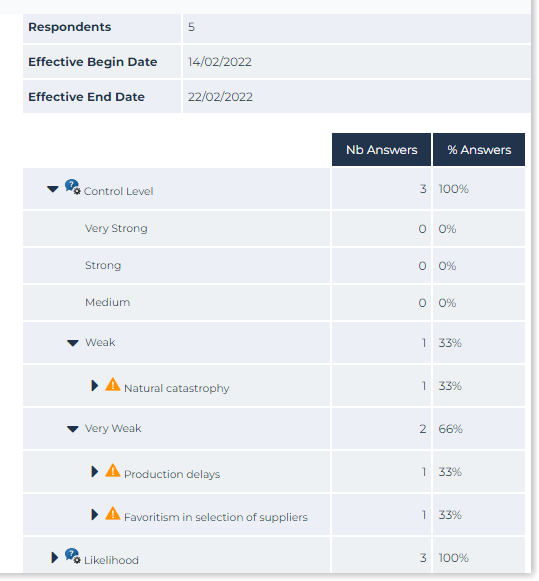
Result
A tree appears:
• in rows: questions/answers, together with respondents
 When expanding an answer, the risks and respondents are displayed.
• in columns: for each question/answer, the number of respondents
This tree specifies who has answered what to which question.