Creating an ArchiMate Model
To create an ArchiMate model:
1. In the Models navigation menu, select Models folder and click the New button.
2. Select Model.
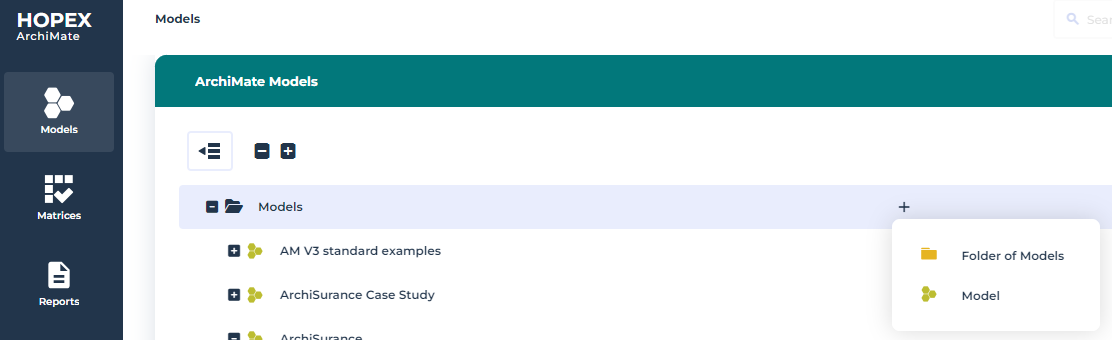
The Creation Model dialog box appears.
3. In the Name box, enter "ArchiSurance", for example, and click OK.
 The ArchiMate model is the root object in ArchiMate and defines a namespace for ArchiMate Elements.From an ArchiMate® model, you can use ArchiMate folders, see Using HOPEX for the ArchiMate Framework Folders.
The Models are represented in a hierarchical tree and can be classified in Folder of Model.
To get more information about the use of folders in HOPEX trees, see Handling Trees.
Assigning the default ArchiMate Model to a user
In the Home page of HOPEX for the ArchiMate Framework, a user can access to the KPIs of its default ArchiMate model. For more details, see HOPEX for the ArchiMate Framework homepage.
To assign a default ArchiMate model to a user:
1. From the Environment navigation menu, select ArchiMate Models.
The list of models appears.
2. Open the Characteristics properties of the model that interests you and expand the Persons section.
3. Connect the user to the model.
If a default model is already connected to a user, the current model will replace the previous one.