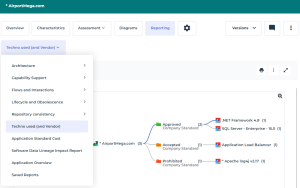
Adding an Instant Report Dendrogram to the Property Pages
You can add a dendrogram-type instant report to the Reporting property page of an object.
To add an instant report to the Reporting property page of an object:
1. Create your dendrogram-type instant report.

2. In the report toolbar, click More  > Add to object page
  .
.
> Add to object page .3. Enter the Name of the report.
4. Click OK.
The report is available in the Reporting page of the object.