Managing all your applications with HOPEX Digital Transformation Desktop
The project portfolio management enables the analysis of the potential return of a set of projects according to the risks, the available funds, the probable duration of a project and the expected results. Its primary aims are to:
• Control the suitability of projects with respect to the strategic objectives of the organization;
• Ensure consistency between the projects and the organization's capability.
HOPEX IT Portfolio Management provides a set of functionalities to:
• Submit and assess the project demands and candidate projects;
• Accept or reject candidate projects;
• Select and define the project priority according to selection criteria (strategic, financial, etc.);
• Analyze and arbitrate portfolio projects;
• Follow project progress.
Enabling access to projects in progress with HOPEX Digital Transformation Desktop
To access the list of elements that are part of your portfolio project:
1. Click the Portfolios navigation pane.
2. In the navigation pane, click Hierarchy.
The tree of main elements describing your Project Portfolios is displayed.
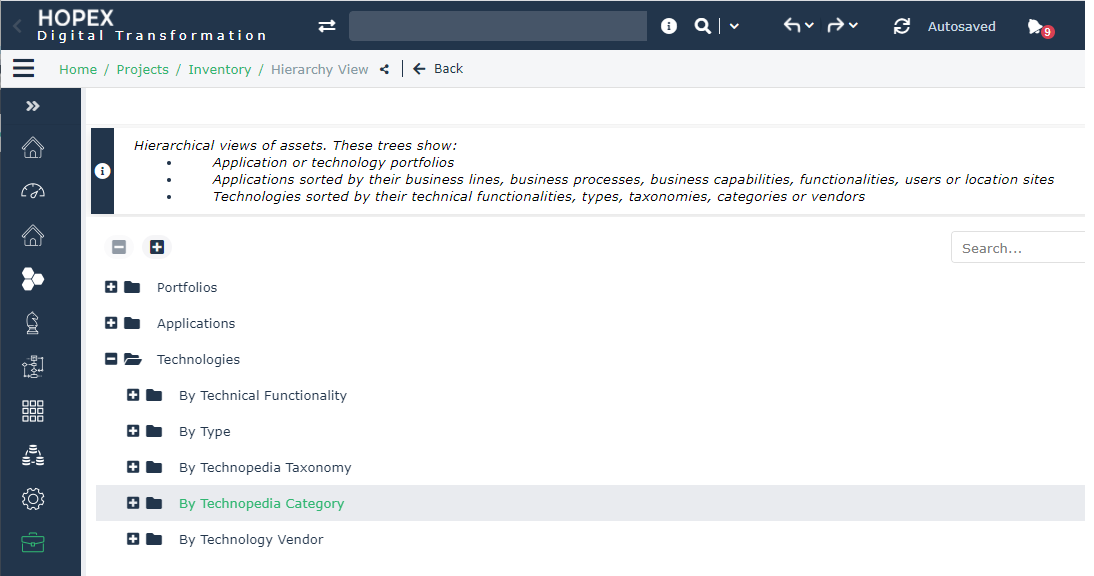
For more information on Project Portfolio management, see Project Portfolio Management chapter in the HOPEX IT Portfolio Management guide.
Accessing the HOPEX IT Portfolio Management solution objects
To access objects dedicated to your enterprise projects management:
1. Click the Portfolios navigation pane.
2. In the navigation pane, click Inventory.
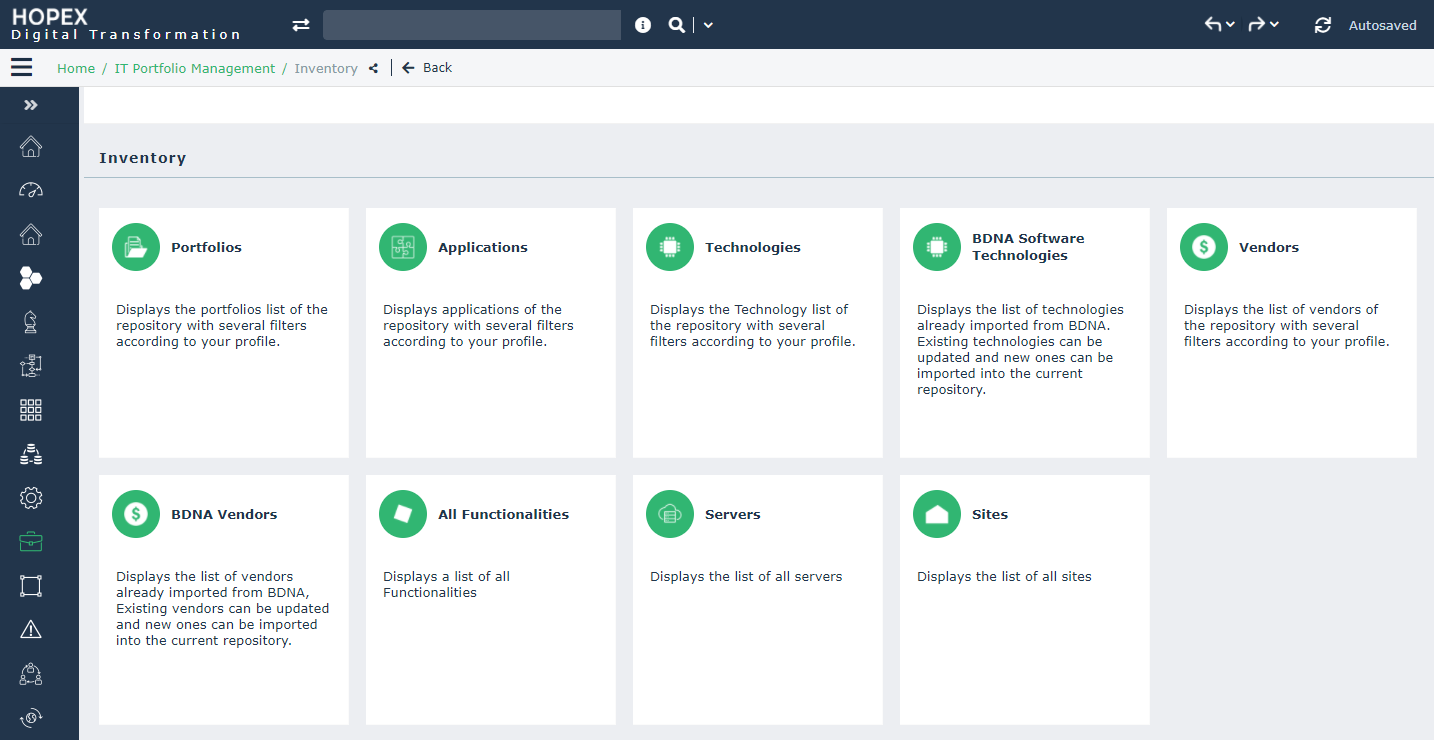
A list of tiles is proposed to help you to manage your IT Portfolio applications:
• Applications;
 An application is a software component that can be deployed and provides users with a set of functionalities.
• Technologies;
A technology is a definition or format that has been approved by a standards organization, or is accepted as a standard by the industry.• vendors;
The vendor is the application provider.• BDNA Technologies and BDNA Vendors;

• Servers;
An IT Server is an IT component providing a service to users connected via an IT network. This IT component can house databases and run applications.• Functionalities;
A functionality is a service required to perform a work. This functionality is generally necessary within an activity in order to execute a specific operation. If it is a software functionality, it can be provided by an application.• Sites.
A site is a geographical location of an enterprise. Examples: Boston subsidiary, Seattle plant, and more generally the headquarters, subsidiaries, plants, warehouses, etc.