Creating Deliverables Relating to the Work Package
Instances of work package deliverables can be created from templates attached to deliverables of the different phases.
Deliverables related to the project can be of different types: Report, Document, Book, Diagram or External Reference.
 For more details on phase deliverables, see "Deliverable properties", page 24.
You can create documents associated with each stage of your project from the Method tab of each sub-project.
To access the different deliverables:
1. Open the properties dialog box of the sub-project and select the Method tab.
2. In the "Deliverables" section of the page, click button  to create an instance of the deliverable template.
to create an instance of the deliverable template.The instance appears in the page and the template is selected.
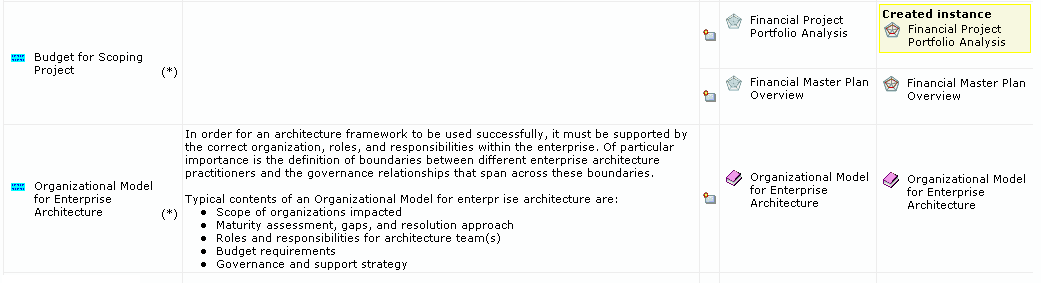
Deliverables relating to a work package are automatically classified in the Contents folder of the work package.
You can create deliverables:
• From the Method tab of the work package.
• Via the pop-up menu of the work package by selecting the specific command.
Creating external references
HOPEX enables association of external references with your project, based on those that exist for deliverables. External reference templates are proposed as a function of the method or phase selected for the project.
If your project is linked to a method or phase itself linked to an external reference, you have access to a menu that allows you to create an external reference specific to your project.
To create an extarnal reference for a work package:
1. In the "Deliverables" section of the page, click the button to create an instance of the external reference.
button to create an instance of the external reference.A list of available documents is proposed as a function of the selected method and phase.
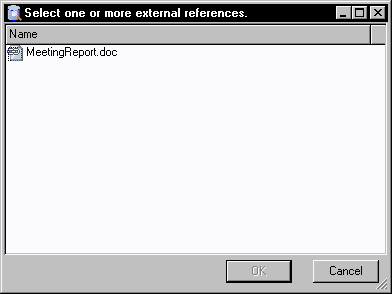
2. Select an external reference and click OK.
3. Select a folder in which to place the copy of this document and click OK.
A copy of this document is placed in the folder that you indicated. The project external reference is created.
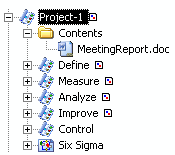
You can double-click on the document and modify it.
Creating a document
HOPEX advises you in the choice of documents to be generated as a function of the phases connected to your work package.
As an example, the Method tab of the "Identify problems in the process" sub-project proposes that you generate a document concerning business processes.
To generate this document:
1. In the "Deliverables" section of the page, click button to create an instance of the document.
to create an instance of the document.2. Select the document template that you wish to use.
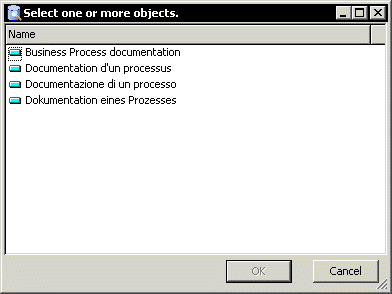
3. Click OK.
4. Then select the object to be described in the document template.
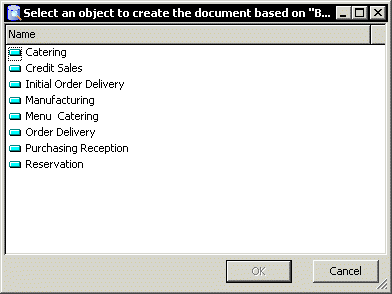
5. Click OK.
The document based on the selected document template appears in the navigator.
6. 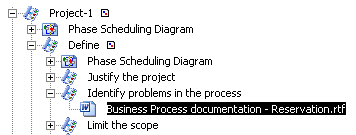 Double-click the document to start its generation.
Double-click the document to start its generation.Creating diagrams
HOPEX offers the possibility of creating a diagram relating to the work package, that is to produce a deliverable in the form of a diagram.
Creating Reports
Reports can be created as deliverables in relation to work packages that are required to produce deliverables in the forma of reports.
To create a report:
1. Open the Properties dialog box of a work package.
2. Click the Method tab.
In this tab, a definition of the phase is displayed along with the requirements of the phase.
A list of the required deliverables of the phase and the types of objects that support these deliverables is also displayed in a matrix.
3. To craete a deliverable that can be supported by a report, in the Template tab, click the New buttone next to the report template.
next to the report template.
4. If you wish to set the different parameters for the report, click Next and follow the instructions of the creation wizard, if not, click Finish.
The new report appears in the Instance column of the matrix.