Modifying the Processes to Supervise
HOPEX Server Supervisor enables to configure the processes to supervise.
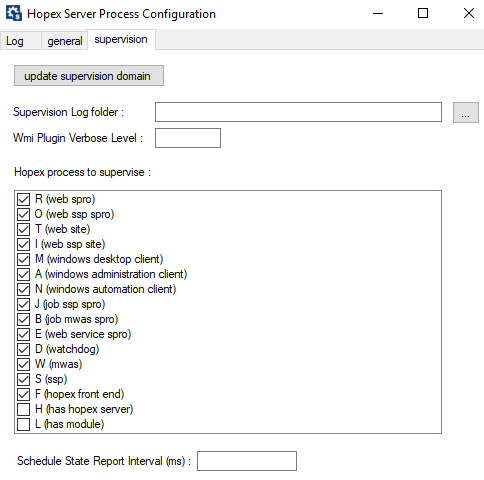
To configure the processes to supervise:
1. In your workstation system tray, right-click HOPEX Server Supervisor  and select Hopex Supervision > Supervision configuration.
and select Hopex Supervision > Supervision configuration.2. From HOPEX Server Process Configuration window, Supervision tab, select the processes you want to supervise.