Consulting and Modifying Repository Properties
To consult and/or modify certain repository properties:
1. Connect to HOPEX Administration and select the repository concerned.
2. Right-click the concerned repository and select Properties.
The Repository Properties dialog box opens.
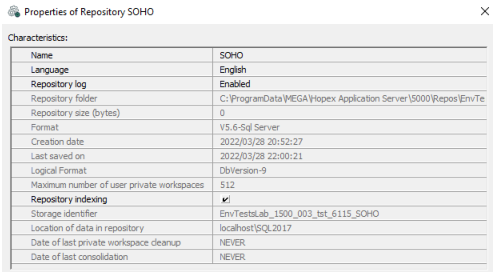
From the Repository Properties dialog box, you can:
• click the row of one of the following characteristics to:
• modify the Name of the repository
• modify the repository Language
 Only if you need to modify the repository language right after its creation. Never change the repository language at any time, to avoid irreparable loss of object names.
• enable/disable the Repository log
 For more details, see Repository log.
• consult its following characteristics:
• Metamodel last compiled date (SystemDb repository specific)
• location of the Folder in which the repository is stored
• Dates of repository creation and last save
• repository Logic Format.
• Date of last private workspace cleanup and Date of last consolidation, which provide useful information for the maintenance plan of an RDBMS repository.
• enable/disable Repository Indexing.
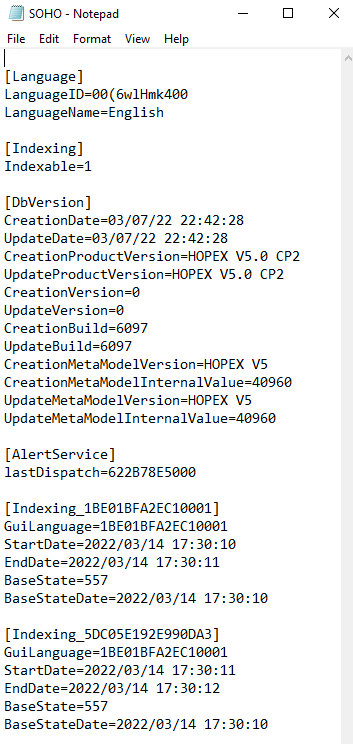
Accessing the Log of Repository Changes (.EMV file)
The .EMV file contains repository changes (eg: creation, update, version).
To directly access the .emv file of a repository:
1. Connect to HOPEX Administration and select the repository concerned.
2. Right-click the repository concerned and select See EMV File.