Customizing the Validation Workflow
It is possible tp modify the location of the valdiation request command in an object pop-up menu.
For more details on the validation process, see "Using the Validation Request Workflow", page 599.
The menu command is by default located in the “Manage” group:
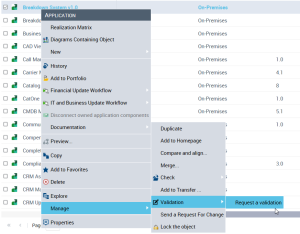
To change the location of the command in the object pop-up menu:
 Select the following MetaCommandManager and in the property page Settings tab enter a text as follows: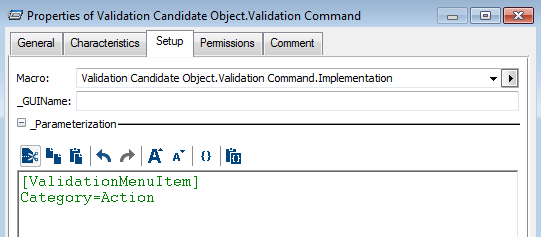
The above syntax enables you to position the command in the “Action” section, as follows:
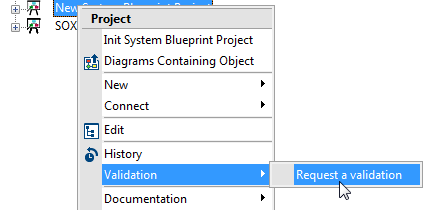
Possible categories are as follows:
Command group | Description of the command group | Command examples |
|---|---|---|
Action | Action / Activation on an object | Generate, Derive, Prototype, Quantify |
Description | Object description | Open, Zoom, Flowchart |
Entry | Object characteristics | Attributes, Operations, Navigability >, Cardinality > |
Documentation | Publication / Documentation | Document, Reference |
Display | Presentation | Display, Format, Drawing |
Clipboard | Clipboard | Copy, Paste, Disconnect |
Container | Applicable to a collection of objects | Add to Favorites, Delete |
Explore | Exploration | Explore, Compare |
Manage | Administration | Manage > |