Docking Area
HOPEX automatically computes a convex hull for each shape. This area is used to determine the intersections between the shapes and links connected to it. However, for some shapes, this area is not adequate.
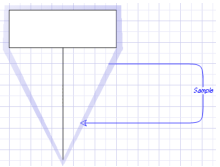
To improve the behavior of the shape regarding links, it is possible to define a custom docking area. With such an area defined, links will start and end only on the edge of this area.
To define a custom docking area, draw a basic graphic object and check the appropriate option in the “field options” dialog box.
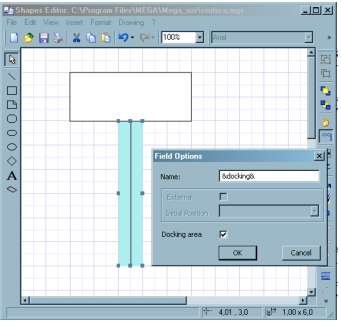
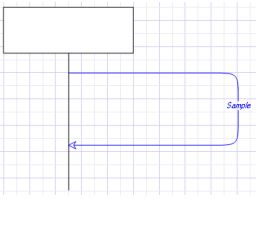
To further improve the behavior of the shape, this field can be positioned like any other field with the shape programming language. To further improve the look of the shape, this field can be hidden in the shape editor.
However, only one docking area is allowed, and it must be convex.