Specifying user profile
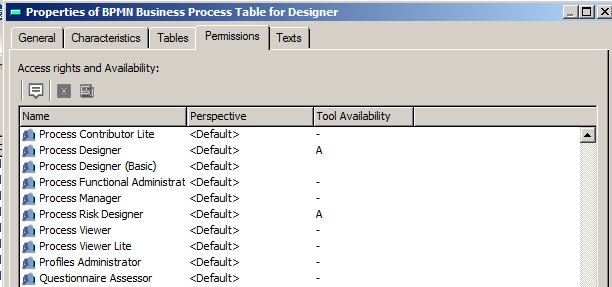
The list of profiles authorized to use tabular entry mode for a diagram is linked to the DiagTabDefinition.
To associate a profile to a DiagTabDefinition:
1. Open the Permission property page of the DiagTabDefinition that interests you.
2. Select the profile you want to associate to the diagram and set “Available” in the Tool Availability column.