Search and Confidentiality Result
 If reading access management is activated, see Managing Data Reading Access.
Certain modeling projects may be confidential or contain confidential or sensitive data (Example: costs, risks, controls). The administrator may therefore decide to hide certain objects so that they are only visible to authorized users.
Visibility of objects by a user is managed in HOPEX by reading accesses. A reading access level is assigned to each user, which restricts his/her data visibility.
For more details on data reading access, see Managing Data Reading Access.The search tool operates in dynamic mode. Searches take into account the reading access area of the user. Depending on the reading access area, the search results can therefore vary and display different numbers of objects.
Objects not available in diagrams due to their reading access level appear in search results, but cannot be accessed by the user.
Search example
Take the example of a search for risks with two distinct users and their associated reading access level:
• "Guest" (standard level)
• "VIP" (maximum level)
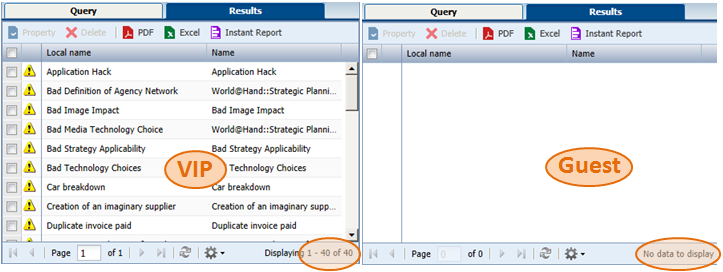
Search on the Risk object returns 0 objects for the "Guest" user and 40 objects for the "VIP" user.
Display the example
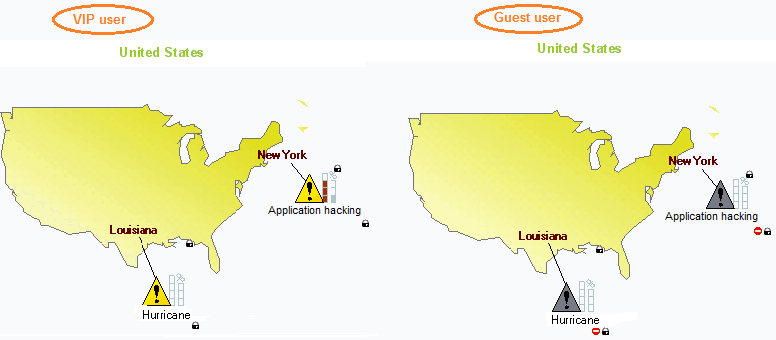
On the following "Geographical Risk Map":
• for the "Guest" user, risks are grayed and their details are not accessible.
• having the maximum reading access level, the "VIP" user can access all risks in the diagram.
Display the example