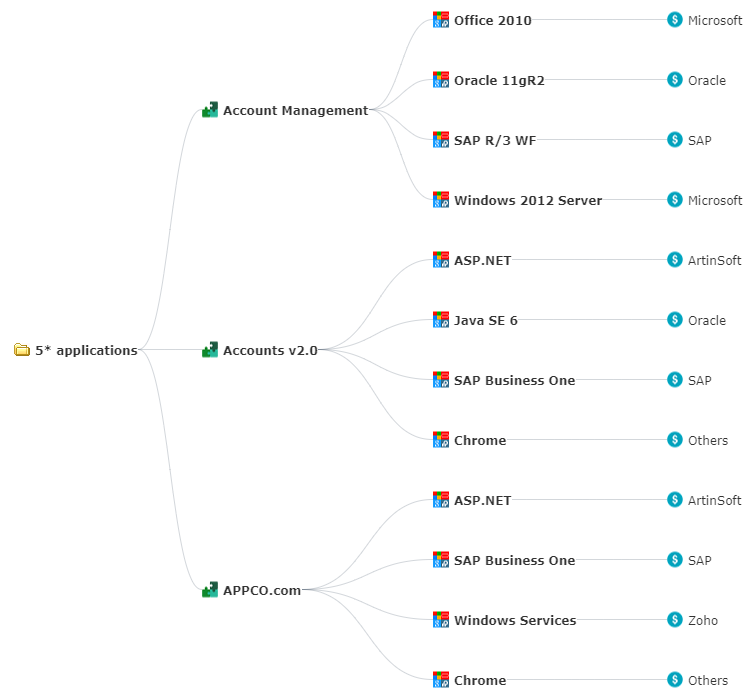
How to Hide a TreeSet Collection
You may want to hide a TreeSet Collection from your TreeSet.
Example:
The TreeSet Definition displays the Technologies used by an application, and for each Technology it displays its Vendor and its risks (if any).
You want to hide the "Risk" items of the Technologies.
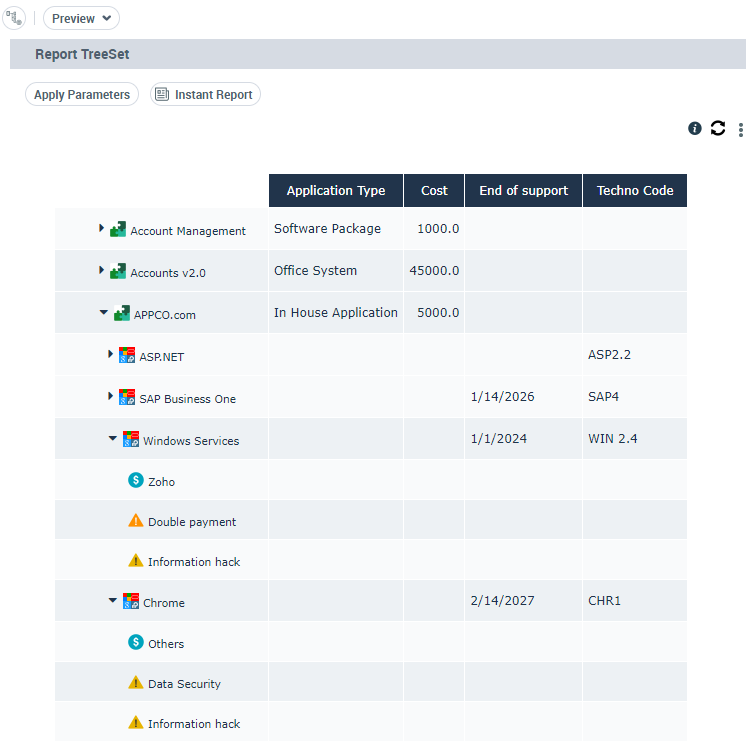
To hide a TreeSet Collection in the TreeSet:
1. Access the TreeSet Definition properties.
2. Display its Definition page.
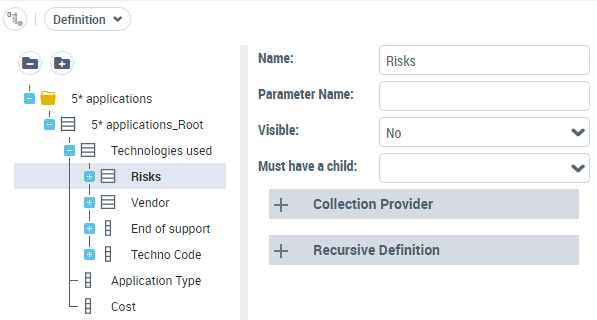
3. In the TreeSet Definition structure, select the TreeSet Collection you want to hide.
Example: "Risk"
4. In the right pane, in the Visible field, select "No".
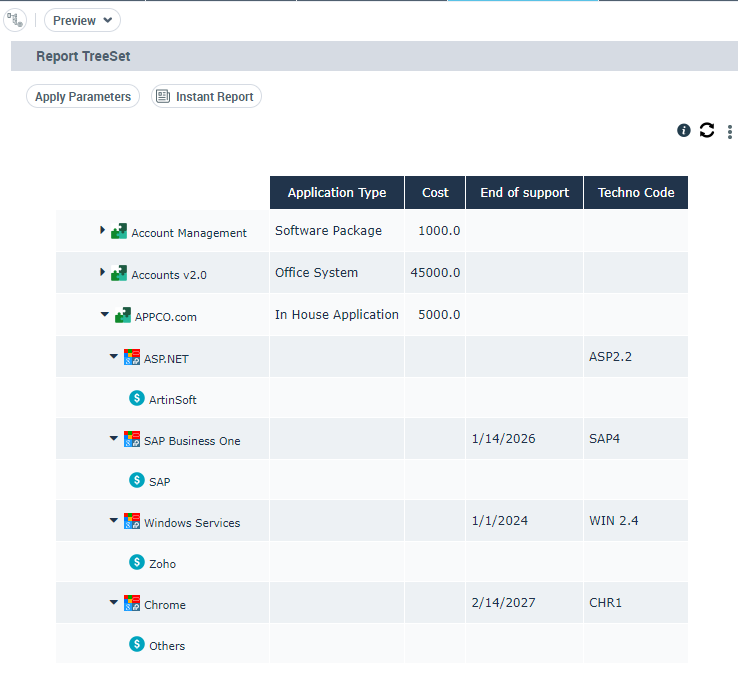
5. In the TreeSet Definition Preview page.
6. Click Apply Parameters.
7. From the TreeSet, generate an Instant Report.
Ex: Dendrogram type Instant Report.
The TreeSet Collection concerned is hidden.
Example: "Risk" values of the Technologies are hidden.
 In case your modification was not taken into account, click Refresh
  .
.