Handling the Report DataSet
Once the Report DataSet is created, you can:
• modify the Report DataSet status.
By default the Report DataSet is public. It is stored in HOPEX and shared with other users.
 To keep the Report DataSet private, from the Report DataSet properties > Characteristics tab, in the Sharing field, select "Private".
• create an Instant Report from your Report DataSet: click Instant Report  .
.
.• refresh the Report DataSet with updated data: click Refresh  .
.
.• export the Report DataSet: click CSV  .
.
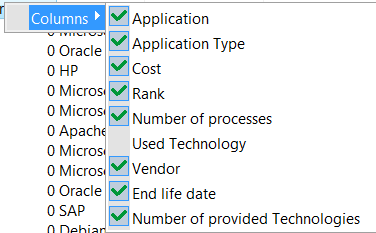
.• hide Report DataSet columns: right-click the table header, select Columns and clear the items you want to hide.
This can be useful to facilitate readability of the Report DataSet.
Hidden column data remains included in the Report DataSet. When you launch an instant report, the instant report is performed on all the Report DataSet data.