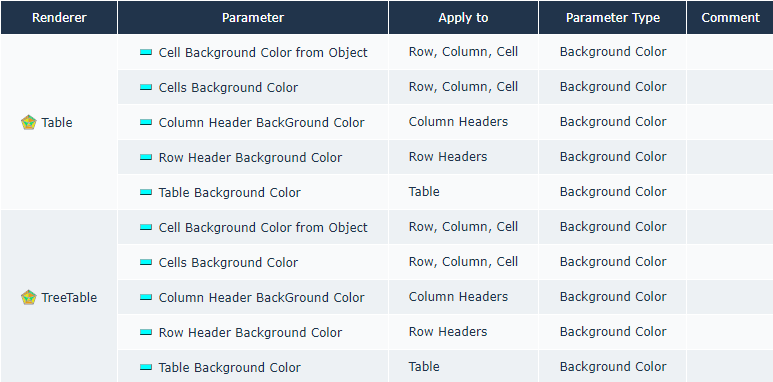
Generating the Report of the Parameters available to Customize a Renderer Type
To help you with the parameters available to customize a report according to its renderer type, you can use the Studio Reports.
To generate the report:
1. From the navigation menu, select Report Studio > Studio Reports.
2. Use the filters according to your needs:
• RendererType: select the type(s) of rendering
E.g.: TreeTable and Table.
• Apply to: select the item(s) you want to customize
• Parameter Type: select the type of parameter you want to apply
E.g.: Background Color.
The report displays the parameters you can use to customize you report according to your selection.