Viewing the Indicator Graph
HOPEX IRM enables you to display an indicator graph for a specific indicator.
To access this graph:
1. See Accessing Key Indicators.
2. In the property page of your indicator, select the Indicator Graph page.
The values of the indicator are displayed in a table below the graph.
 To display a label on the Y axis of the graph, see Defining a Measurement Unit to be Displayed in Reports.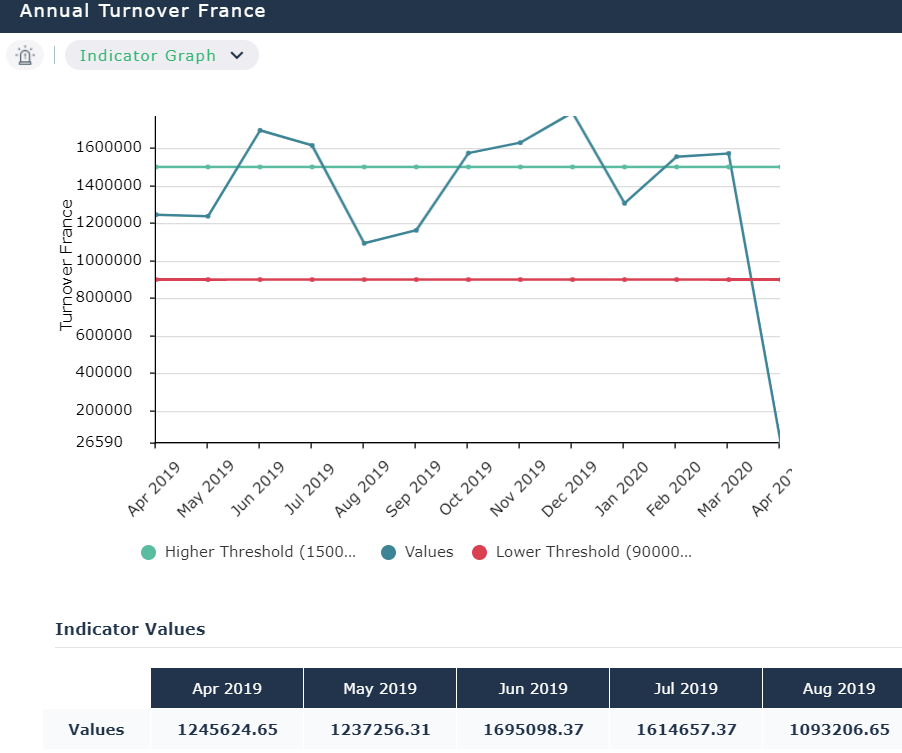
HOPEX IRM also offers reports which enable to compare various indicators. See Key Indicator Reports.