Deleting a Diagram
To delete a diagram you must perform the action in a tree from the object described by the diagram.
To delete a diagram:
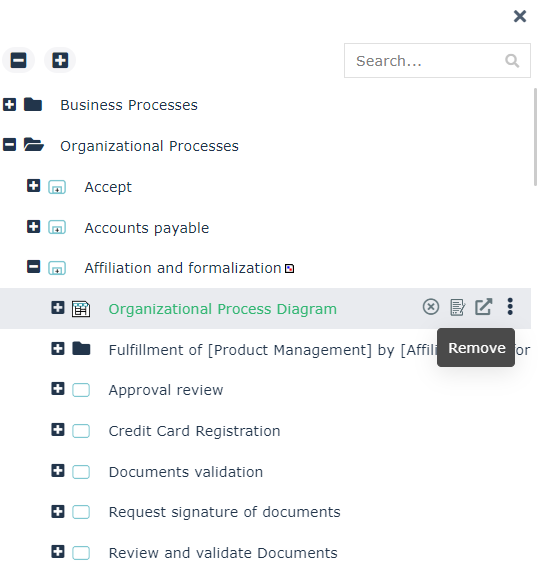
1. In a tree, access the object described by the diagram you want to delete.
E.g.: in HOPEX Business Process Analysis Solution, select the navigation menu Processes > Hierarchy.
 You may also access your object easily if added in your favorites.
2. Expand the folder of the object.
3. Hover the cursor over the diagram and select Remove  .
.
.
4. In the confirmation box, select Delete.
5. Click Remove.
The diagram describing the object is deleted. Only the diagram itself is deleted, all the elements included in the diagram are kept.