Creating an exchange contract from an exchange contract template
To create an exchange contract from a list using an exchange contract template:
1. From the Environment navigation pane, select Standard Navigation.
2. From the library that interests you, create a new exchange contract.
3. In the add composite conversation dialog box, click the arrow at the right of the Exchange Contract box and select Create Exchange Contract.
The Creation of Exchange Contract dialog box opens.
4. Select the Creation Mode: Template Based Creation
5. Select the template that interests you and click Next.
A dialog box displays the list of components of the new exchange contract.
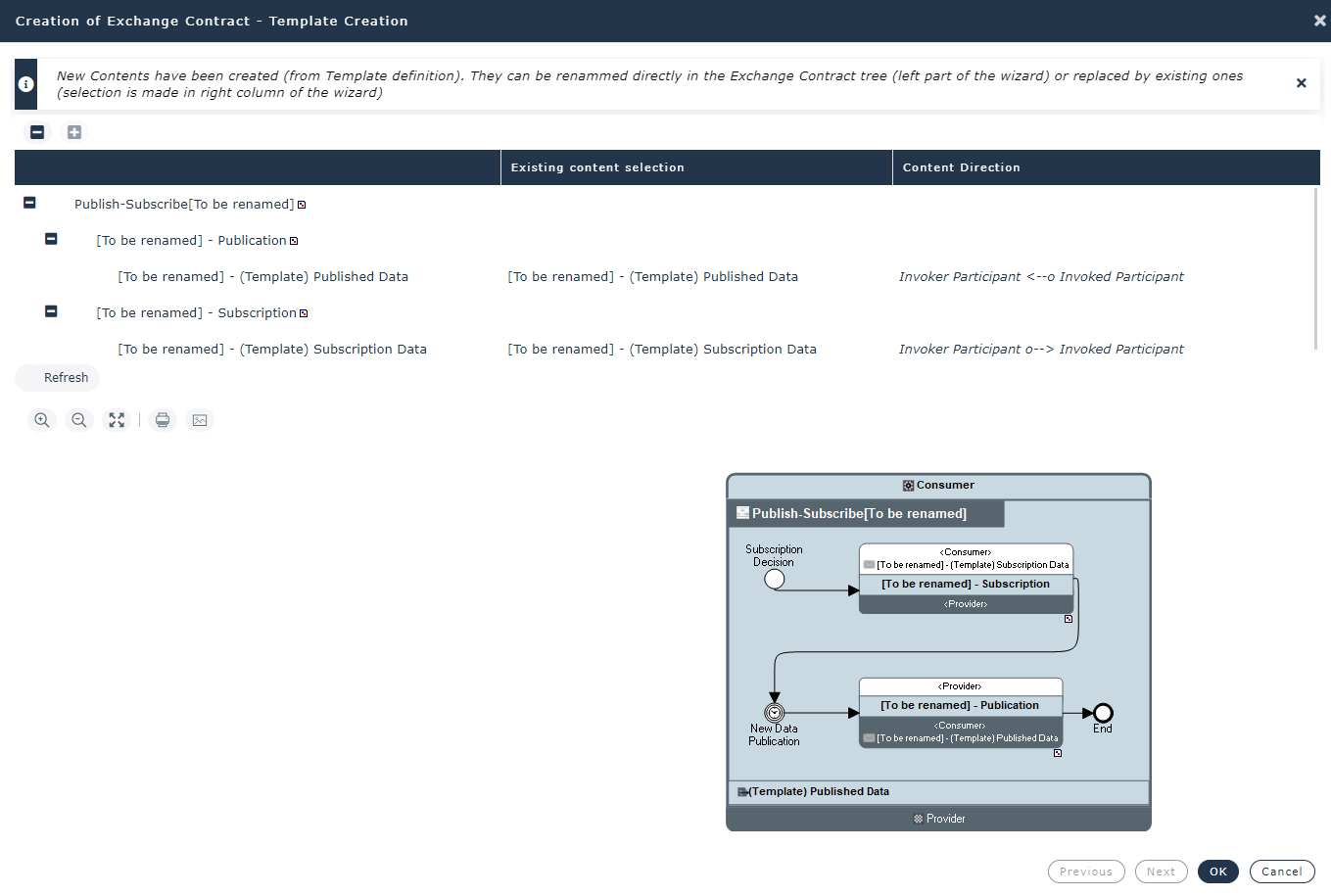
The name of duplicated components is prefixed with “[To be renamed]”. The content templates used are duplicated.
6. Double-click the name you wish to modify.
7. (Option) In the Existing content selection column, select the content you want to reuse.
As a consequence, the created content ““[To be renamed]” is destroyed.
8. Click OK.
The exchange contract is created.
 Then you can change the new exchange contract components, for example from its diagram, see Creating an Exchange Contract Diagram (BPMN).
Creating an Exchange Contract Template
You can use an existing exchange contract to create an exchange contract template.
To specify that an exchange contract is a template:
1. Select the exchange contract that interests to you.
2. Open the Characteristicsproperties page.
3. Check the Interaction Behavior Template box.
The exchange contract is added to the list of exchange contract templates.
The exchange contract template components declared as template are duplicated when the exchange contract template is used.
To access the list of an exchange contract template components declared as template:
1. Open the Template Definition property page.
2. Check the Template box of the components to be duplicated.
Creating an Exchange Template
To specify that an exchange is an exchange template:
1. Select the exchange that interests you.
2. Open the Characteristicsproperties page.
3. Check the Interaction Behavior Template box.
The exchange is added to the list of exchange templates.
To access to the list of exchange templates: from the Administration navigation pane, select Exchange contract templates, and click Exchange Templates tile.