Displaying IT-Pedia Properties in HOPEX
The IT-Pedia properties imported into HOPEX appear under the IT-Pedia properties page of the relevant technology.
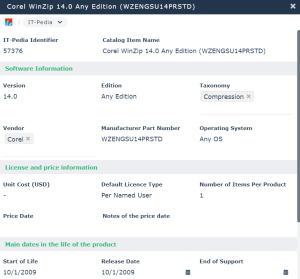
Technology properties related to the official technology life cycle are automatically defined in the Characteristics page of the technology properties, under the Official Lifecycle section.
• Release date
• End of Support
• End of Extended Support
 These properties can be set manually when you are not using the IT-Pedia connector.
A Support Alert report uses this data to track technology obsolescence. For example, the solution automatically detects current and future conflicts when an underlying technology component becomes obsolete while the business application is still in production.
See also Technology Automatic Updating and Alerts.
Modifying dates from IT-Pedia
The technology lifecycle dates from the IT-Pedia import may be in read-only mode. Through an Excel file you can modify or complete the technology dates and update them in your repository.
You can use the file in two ways:
• Download it and manually define the technologies and attributes to be modified.
• Select the technologies and their attributes in HOPEX and export them to the file via the Excel export tool.
Once the file is completed, you can import it into HOPEX to update the technologies in your repository.
To import the model:
1. Click the Main Menu then Import > Excel (*.xls; *.xslx).
2. Under Download Template, select "Technology Lifecycle Date Import Template".
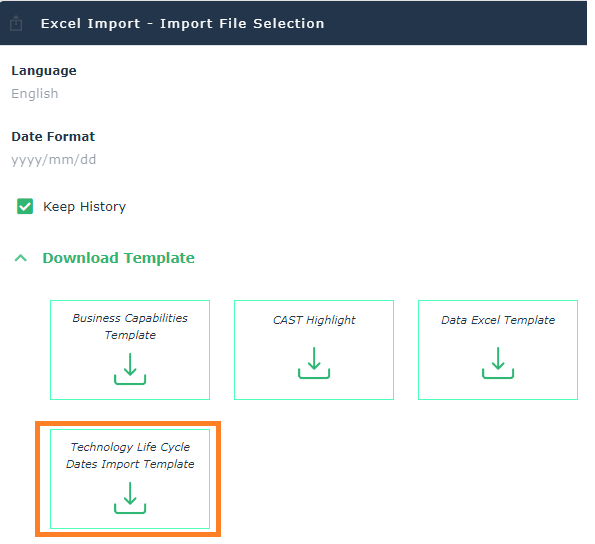
To export directly from HOPEX the technologies and their attributes in the Excel file:
1. Click the Main Menu and then Export > Excel (*.xls; *.xslx).
2. Select From a Template and click Next.
3. Under Predefined Template File, select "Technology Life Cycle Dates Import Template" and check Load Mega objects.
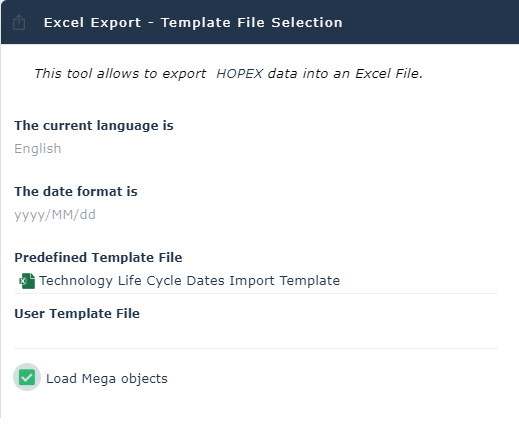
4. Click Next.
5. Under Excel Worksheets, select "Software Technology".
6. Under Columns, select the attributes you want to set on the technology.
7. Click Next.
8. Select the Excel sheet and under Objects to be exported, add the desired technologies.
9. Click Next.
10. Open the file that contains the technologies to be modified or completed.
11. For each technology, enter the desired dates in the corresponding columns, for example "Start of Life".
Once the file is completed, you can import it into HOPEX.
The modified attributes appear in the IT-Pedia properties of the concerned technologies, with the note "Set by Mega".
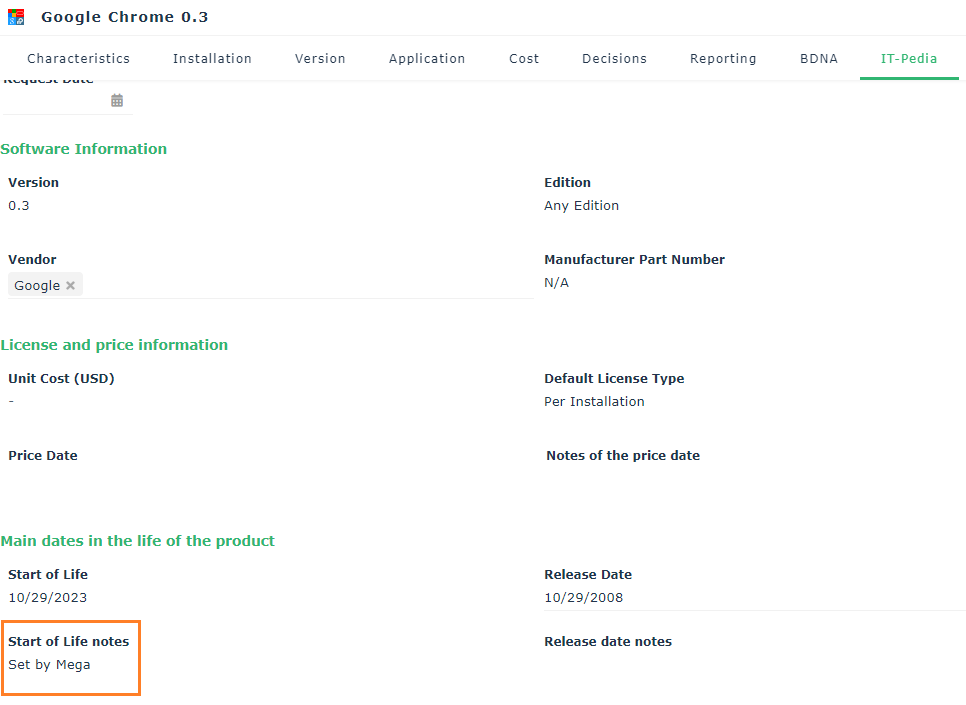
See also:Defining Technology Life.
For more details on alerts, see Managing Your Alerts on Object Modification.