Accessing the Technical Reference Model (TRM)
Accessing TRM diagrams
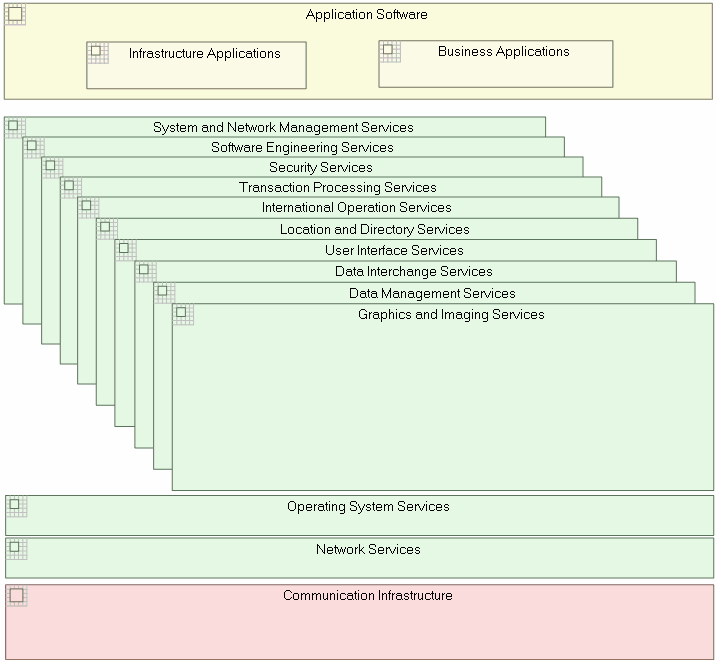
The two diagrams below describe two implementation levels of the TRM. To access these diagrams:
1. In the TOGAF 9 navigation window, expand the Technical Reference Model (TRM) folder.
2. Right-click the Technical Reference Model and in its pop-up menu select the City Planning Zoning Diagram.
3. From the list displayed, select the Technical Reference Model (MEGA::TOGAF) - Detailed View and click OK to open the diagram.
Areas and sub-areas
"Sub-areas" can be created from an area, regardless the city planning level ("area", "district" or "block").
• When you create a Sub-area from an "Area", the sub-area automatically becomes a "District".
• When you create a Sub-area from a "District", the sub-area automatically becomes a "Block".
 The appearance of the area changes according its city planning level.