HOPEX Monitoring Console Description
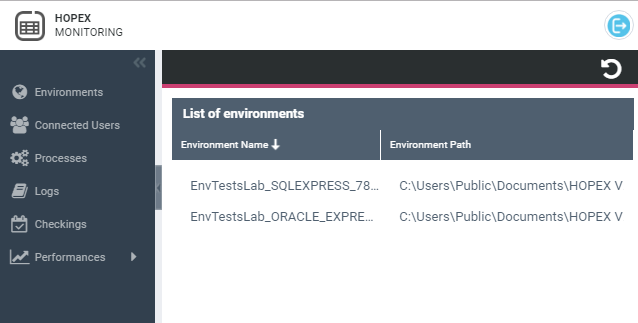
The HOPEX Monitoring Console includes the following navigation panes:
• Environments
Lists the environments accessible from HOPEX.
• Connected Users
Displays information regarding the web users logged in to HOPEX and enables to perform actions regarding these connections.
• Processes
Displays, for each server, information regarding the current processes running in HOPEX. This page requires high administration rights (restricted to MEGA internal use).
• Logs
Enables to download log and information files regarding the operating system.
• Checkings
Displays MWAS and SSP installation checks.
• Performances
Enables to test performances for a specific repository (RDBMS Test) or a specific profile (MEGA Test).