Accessing the Macro Information
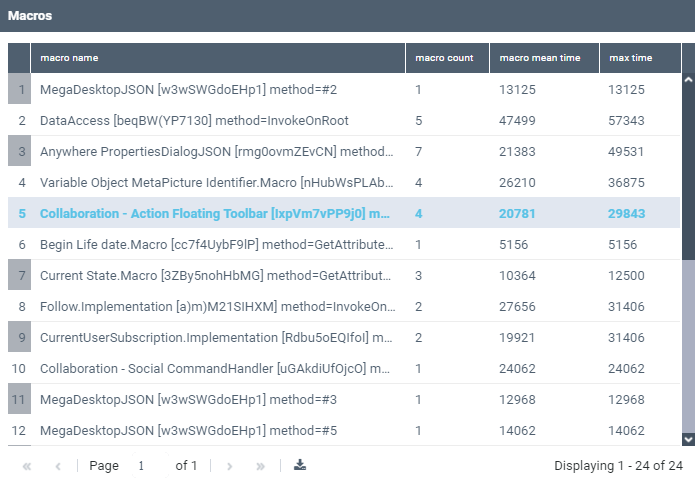
The Macros table gives access to information regarding the macros that took a long time to be executed in HOPEX. In that case a supervision event is sent. For each macro, it details:
• macro name: the name of the macro and its use context
• macro count: the number of times the macro has been called
• macro mean time: the macro execution mean time (in ms)
• max time: the macro execution maximum time (in ms)
To access information regarding the macros called in HOPEX:
1. Access the HOPEX Supervision console.

2. In the HOPEX Supervision console navigation panes, click Macros.
The Macros view is displayed and lists all the macros with a long execution time for the defined period (by default, data is reset every two weeks).
3. Click a macro row to get more information regarding this macro executions.
Example: in the above example click the fifth row to get detailed information regarding the macro "Collaboration - Action Floating toolbar".
