Merging IT-Pedia Technologies With Existing Technologies of Your Repository
Your repository may contain technologies created outside of the IT-Pedia import. These technologies do not benefit from the provider data and updates supplied by the IT-Pedia connector, such as official life cycle dates, for example. To keep the data for these technologies while benefiting from IT-Pedia information, you can merge it with the IT-Pedia technologies that you import HOPEX IT Portfolio Management.
Merging two technologies
To merge two technologies:
1. Click the navigation menu then Asset Catalogs > Technologies.
2. In the edit area, select the technologies to merge.
3. Click the button More  > Merge technologies.
> Merge technologies.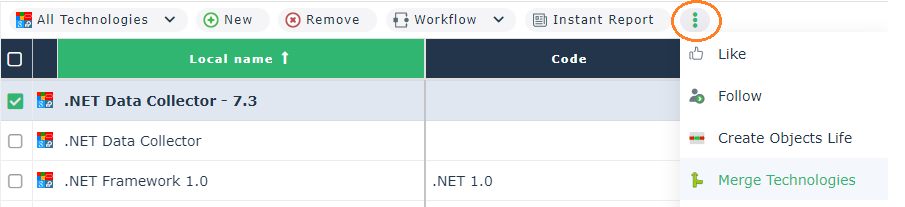
4. In the wizard that appears, enter:
• The source technology, which will be merged in the target technology
• The target technology, which will include information of the source technology.
5. Click Next.
6. Select the properties you want to keep from the source and target technologies. By default, properties of the target technology are selected.
7. In the same way, select the links you want to keep.
8. Click OK.