About the IRM Manager Desktop
The HOPEX IRM (Integrated Risk Management) desktop is a central access point for risk, control, incident and audit responsible users.
It is available with the following solutions:
• HOPEX Enterprise Risk Management,
• HOPEX Internal Control
• HOPEX LDC
• HOPEX Internal Audit
The menus and features available depend on the solution(s) and profile used.
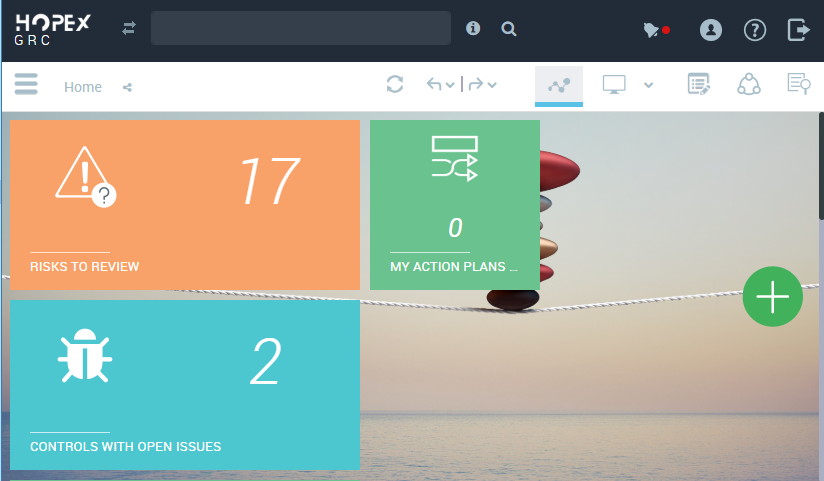
Dashboard
This section from the navigation menu enables you to add widgets specific to risk, control management and audit.
My Tasks
• Assessment
• Questionnaires to Answer
• Questionnaires to Review (to validate)
• Assessment Sessions Due to Close
• Execution
• Checklists to Complete
• Checklists To Reassign
 This menu applies to HOPEX Internal Control only. For more information on check-lists, see Executing controls.
• Review
• Incidents to Review
• Risks to Review
The objects to review are the objects which need to be validated.• Audit
• My Work Program
• Global Work Program
• Past audits
This section applies to HOPEX Internal Audit only.• Past audits
• Testing
• Activities
• Vacation Requests
• Time sheets
• Expenses
• Time and Expense Management
• My Vacation Requests
• My Timesheets
• My Expenses
• Vacation Requests to Review
• Expenses to Review
• Action plans
• Actions to implement
• Action plans to implement
• Recommendations to implement
• Late Recommendations Only (applies to HOPEX Internal Audit)
My Environment
Libraries
Key Indicators
Assessment
Execution
See Executing controls.
This navigation menu section is available with HOPEX Internal Control only.Testing
See Control Testing.
This navigation menu section is available with HOPEX Internal Control only.