Follow-Up
Session Follow-Up
This report enables assessment session follow-up.
Access path
Reports > Execution > Execution Session Follow-Up
Parameters
Parameters |
|---|
Session |
Result
A summary displays general information on the current assessment session.
This report presents a number of charts concerning assessment progress:
• Percentage of completed questionnaires
• Distribution of questionnaires by status
• Distribution of questionnaires delegated/not delegated
• Distribution of questionnaires by status, for each respondent
• Distribution of questionnaires by status, for each assessed object
Session Statistics
This report displays the questionnaire data of a given assessment session and is used to analyze the distribution of answers.
Access path
Reports > Follow-Up > Session Statistics
Parameters
Parameters | Remarks |
|---|---|
Campaign | Mandatory |
Session | Mandatory |
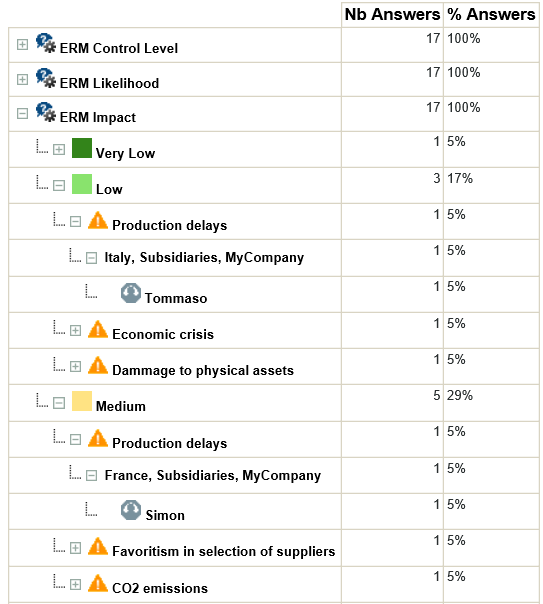
Report example
Result
A tree appears:
• in rows: questions/answers, together with respondents
• in columns: for each question/answer, the number of respondents
This tree specifies who has answered what to which question.
By expanding a reply, we obtain the name of the assessor and the risks to which the reply relates.