Example of mapping between data models
Different modeling levels can cover distinct requirements. Take the example of two data models. A business function data model "Order Management (DM)" is at conceptual level. It describes at business function level how orders should be managed.
At logical level, the "Order Management (Agency)" data model presents an operational view of IS system data specific to each agency.
We find identical concepts in each of the models. These are however distinct objects.
You can map the two data models to favor cohesion between the business function requirements and the systems that support them.
To do this:
1. Open the Mapping Editor.
2. Create a mapping tree.
3. Select the two models to be aligned.
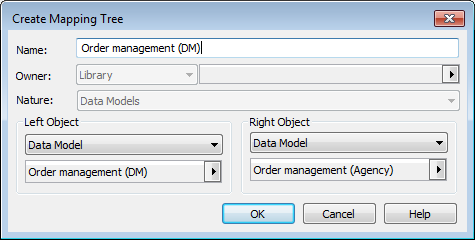
4. Click OK.
The editor displays the mapping tree juxtaposing the two models.
5. Create mappings between similar objects and then save.
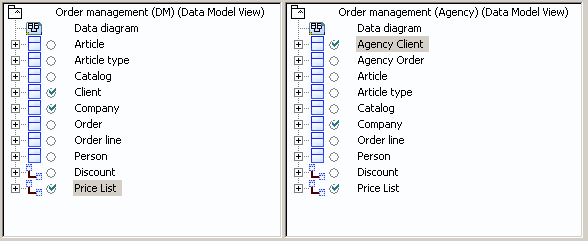
When models have been mapped, you will know which logical objects is attached to business function objects. You can also analyze the impact of changes carried out at business function level on operational level and vice versa.