Logical Formalism and Synchronization
From HOPEX Information Architecture V2R1, the UML formalism is applied by default in the synchronization. It integrates handling of parts. Associations are no longer processed; when you synchronize a data model into a physical model, associations of the model are not taken into account in the synchronization.
For reason of compatibility, you can restore the former treatment, ie. UML formalism and data models, with the processing of associations instead of parts. You can change the formalism in the HOPEX Administration application.
The option set in HOPEX Administration applies by default to all databases in the repository, but you can change the formalism only on one database in its synchronization options.
To access the option in HOPEX Administration :
1. Open the Administration tool.
2. Open the options of the environment concerned.
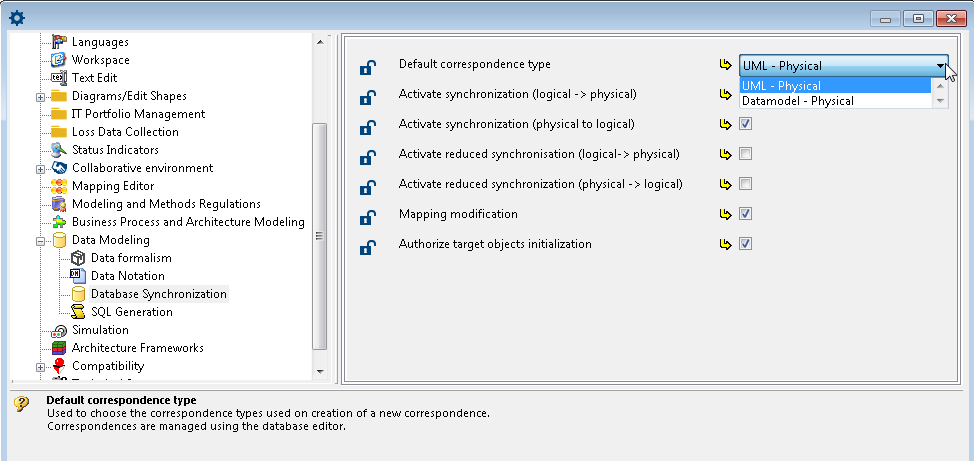
3. In the Options window, in the tree on the left, unfold the Data Modeling folder.
4. Click Database synchronization.
5. In the right pane of the window, in Default correspondence type, select the desired value.
• UML - Physical: default option (with the processing of parts)
• Datamodel - Physical: old option (with the processing of associations)
See also: Logical Data Modeling Options.