Transfering Objects in Pull Mode
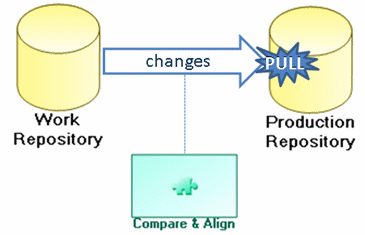
"Pull" mode requires connection to the production repository. Modifications are imported in a private workspace from the target repository.
If transfer is under the responsibility of users working in the source repository, this mode can prove to be restrictive. In this context, users connected to the source repository must:
• dispatch their private workspace in the work repository (source repository) and exit HOPEX
• open a private workspace in the target repository
• import objects from the target repository
• dispatch the private workspace in the target repository
• open a new private workspace in the work repository (source repository) to continue modeling work
If however the transfer is under the responsibility of users controlling the transfer result before dispatch, "pull" mode has the advantage of allowing private workspace discard if necessary.
"Pull" mode with validation
• A model cannot be modified while it is awaiting validation
• These modifications are saved in the private workspace. The private workspace is dispatched if the model is validated.
"Pull" mode with use of design tasks
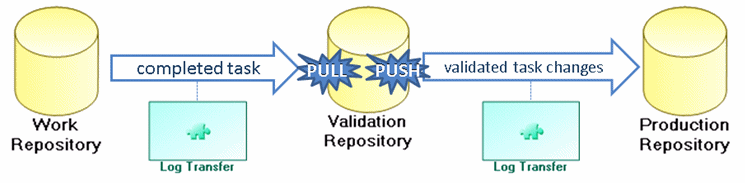
It may be necessary to check dependencies between tasks before export/import of the logfile.
Automatic alignment
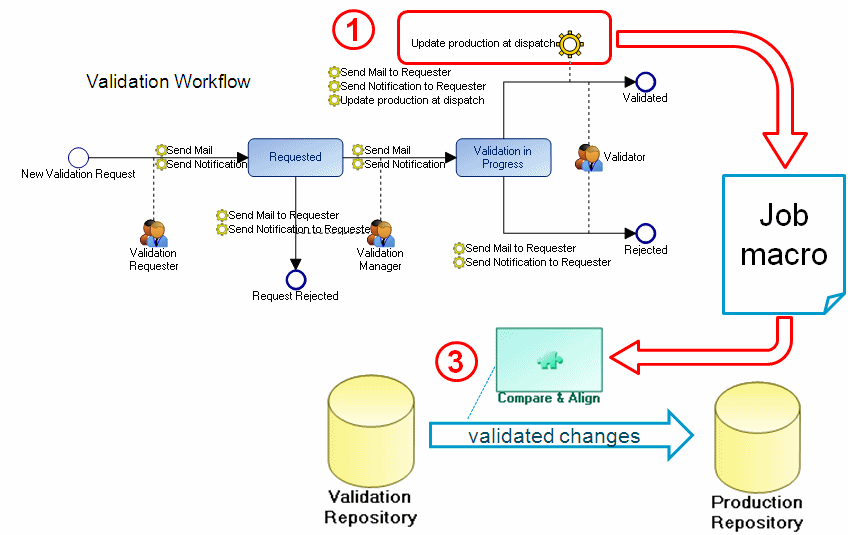
The production repository is updated at the time of dispatch (1).
A "job" macro (2) automatically triggers alignment (3)