Evaluating the objects of process portfolio
Objects connected to Portfolio initiatives are assessed related to different portfolio criteria.
Accessing objects to be evaluated
To access evaluations of all portfolio objects:
1. Open the Initialives > Assessment properties page of the portfolio.
The matrix for assessment of all objects connected to portfolio initiatives according to different criteria is displayed.
2. To define a criteria value on an application, such as a Priority level, select the process concerned and click in the criteria column.

Generating an instant report on evaluation data
Instant reports allow you to carry out drill-down analysis on evaluated objects. They provide greater detail depending on specific analysis perspectives (quantitative, time, etc.).
To generate an instant report on a list of Initiatives:
1. In the list of Initiatives, select those to be analyzed.
If you do not select initiative, by default the report covers all Initiatives.
2. Click on the Instant report button.
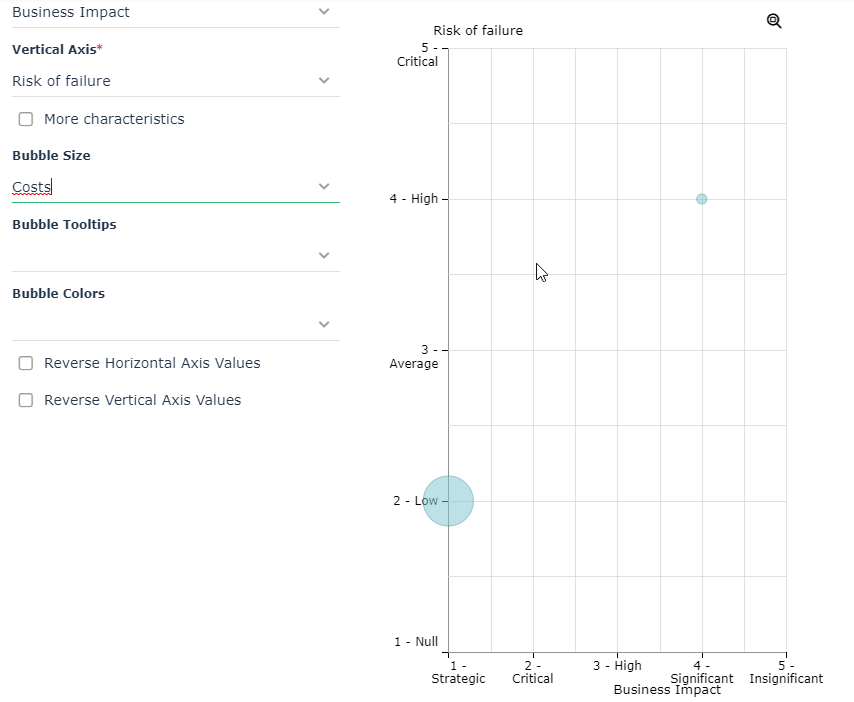
button.3. Select the required analysis type, for example "Bubble (Multidimensional)".
4. Click OK.
5. In the list of possible grouping criteria, select "Costs".
For all selected applications, you obtain the breakdown of implementation risks according to their level (low risk, high risk, etc.)
 For more information on instant reports, see the paragraph "Running instant reports on a list of objects" in the chapter "Generating Documentation" of the HOPEX Common Features guide.