Prerequisites to using APQC libraries
If you want to use APQC business processes for the different activity sectors, you can also import the corresponding libraries.
 A report allows you to view APQC value chains. For more details, see APQC Value Chain Analysis.
Preparing the import
The compressed files of APQC libraries is available on HOPEX Store in a compressed file that you must decompress before importing into a repository.
To import the APQC libraries add-on file and decompress it:
1. Import the APQC libraries add-on available on: https://community.mega.com/t5/forums/filteredbylabelpage/board-id/hopex-store/label-name/content & frameworks.
2. Extract the content of APQC 2019.exe file in the Utilities\ Solution Pack folder in which HOPEX is installed.
Importing APQC Libraries
To import the libraries:
1. Launch "Administration.exe" and connect as a user with data administration rights.
2. Select the environment and the repository on which you want to import the elements.
3. Right-click the repository and select Object Management > Import a Solution Pack.
A dialog box with a list of solution packs appears.
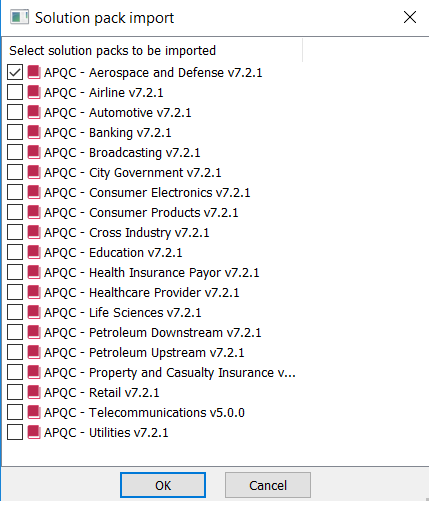
4. Select the components that interest you, for example APQC - Banking V7.2.1 and APQC - Utilities V7.2.1 then click OK.
5. Exit the Administration application.
Accessing to APQC libraries elements
To check that APQC elements have been imported.
1. Connect to HOPEX Business Process Analysis with Process Manager profile, for example.
2. Check Business process modeling and Value streams modeling options
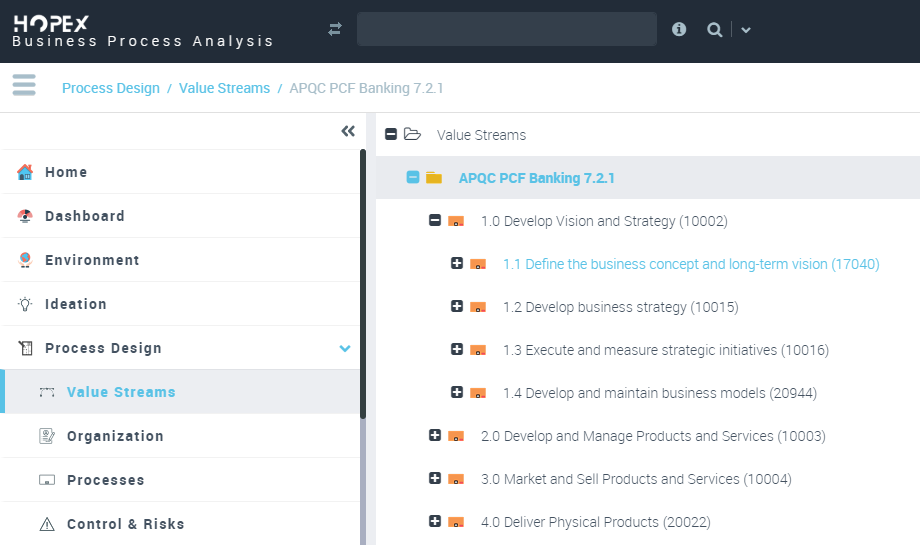
3. From the Process Design navigation pane, click Value Streams > Hierarchical View.
4. Expand the Value Streams folder.
The APQC value streams appear.
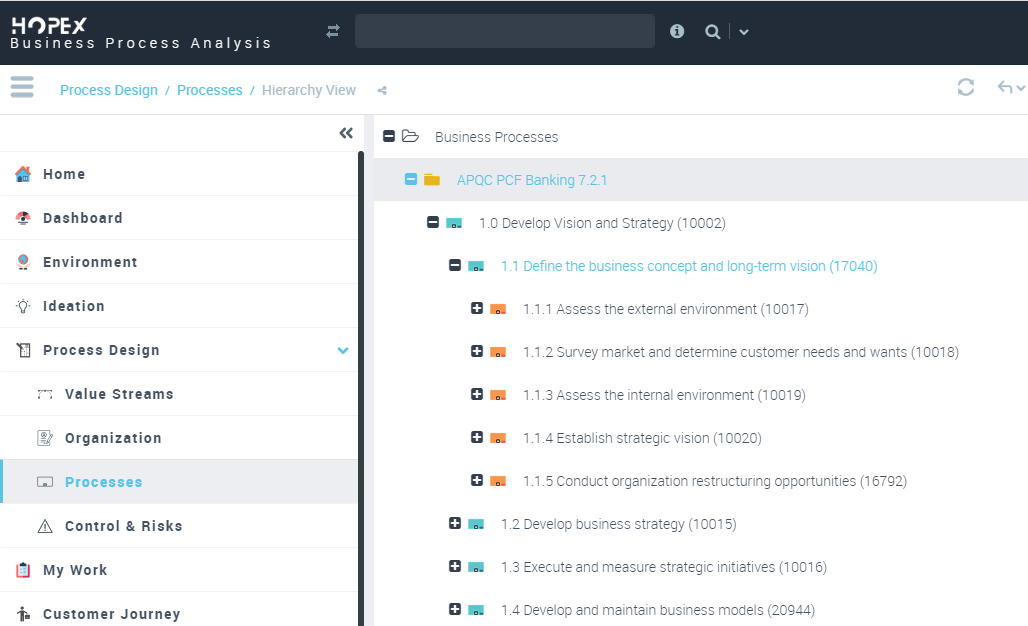
5. From the Process Design navigation pane, click Processes > Hierarchical View.
6. Expand the Business Processes folder.
The APQC Business Processes appear.
Summary of HOPEX Business Process Analysis options
Some options enable you to manage the access to different types of process.
To activate these options:
1. In the workspace, open the Options navigation window.
2. In the left tree, select Business Process and Architecture Modeling:
3. Depending on features you want to do, you may select one of the following check boxes.
• Management of RACI in BPMN and Automatic synchronization of RACI by means of participants, see Process responsibilities,
• Risk Modeling MEGA 2009 /Risk Modeling HOPEX, see HOPEX Risk Mapper guide.
• Activate former BPMN data stores (HOPEX V3 and lower) / Activate BPMN data stores for conceptual, logical and physical layers (from HOPEX V3.1), see Using Data Stores.
•
•
•