Applications
The description of the internal context in which the risk management process operates can be supplemented by the description of the IT applications concerned.
 An application is a software component that can be deployed and provides users with a set of functionalities.
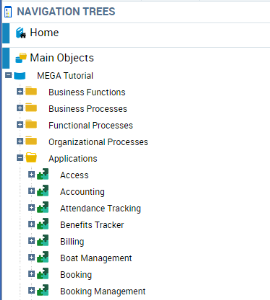
To access applications with the Control and Risk Architect profile:
1. From the Repository paint, select Main Objects.
2. Expand the Applications folder.
The list of applications defined in the database appears.
 You can associate objectives and requirements with each application.
 If you have the HOPEX IT Architecture product, you can also describe application operation as a sequence of sub-applications or services. For further information on description of applications, see HOPEX IT Architecture guide.