Creating an ArchiMate® Model
To create an ArchiMate® model:
1. In the Models > Models navigation pane, select the ArchiMate Model Tree tile.
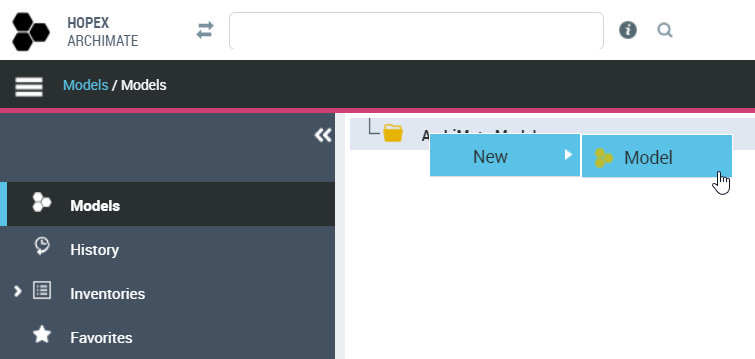
2. Right click the ArchiMate Models folder and select New > Model.
The Creation Model dialog box appears.
3. In the Name box, enter "ArchiSurance", for example, and click OK.
 The ArchiMate® model is the root object in ArchiMate® and defines a namespace for ArchiMate® Elements.From an ArchiMate® model, you can use ArchiMate folders, see Using HOPEX for the ArchiMate® Framework Folders.