Reviewing the Work Program
The lead controller can proceed with a report on the work program. This report enables a check that:
• task assignment has been correctly carried out
• the work program covers the appropriate risks and processes
Consulting work program reports
To access work program reports:
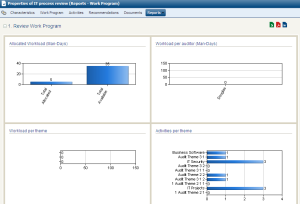
 In the page of an audit, select tab Reports > Work Program.
You can view:
• comparison of resources allocated and resources available:
• workload by auditor (in person/days)
• workload by theme (in person/days)
• activities by theme
Exporting the workload under Excel
The work program under Excel covers themes, sub-themes, activities and workpapers.
Having the work program available under Excel allows:
• consultation of the complete work program without having to access objects individually
• storage of a printed version of the work program
• viewing of tasks to be executed at editing of findings
To export the work program:
In the page of the audit, click Deliverables > Export Work Program (Excel). A pop-up window opens at the bottom of the page. If your navigator blocks these windows, you cannot see file export. In this case, deactivate pop-up blocking in the navigator.