Drawing Lines
Tracing a line
To trace a line:
1. In the tool bar on the left, click  and select Line.
and select Line.2. Click the mouse where you want the line to begin and, holding the mouse button down, drag the mouse to define the length of your line.
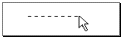
3. Release the mouse button where you want the line to end.
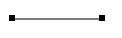
The line is created as a straight line with a handle at each end.
Creating a joint
To create a joint in a line in order to segment the line, for example:
1. Select the line by clicking on it, taking care not to click on a handle.
2. Position the pointer on the line and press the Ctrl key until the pointer changes to form +.
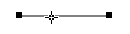
3. Holding the <Ctrl> key down, left-click and move the pointer to where you wish to segment the line.
A joint represented by a handle is added.
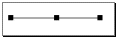
You can perform this operation as many times as you want. You can then drag the joints to modify the shape of the line.
Deleting a joint
To delete a joint (except at the two ends):
 Point on the joint and hold down the <Ctrl> key (the pointer shape changes to +) and click to delete the joint in the line.
The joint is deleted.
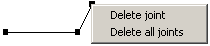
You can also right-click on joints, which allows you to simultaneously delete all joints.