Accessing Assessment Templates
To access assessment templates:
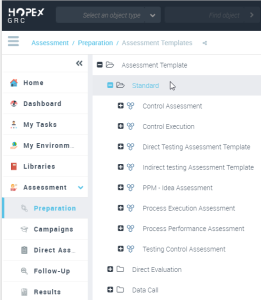
 In the navigation pane, click Assessment > Preparation > Assessment templates.
Assessment templates appear.
The assessment templates use:
• assessed characteristics
 An assessed characteristic defines what the assessment seeks to assess. It can be associated with a MetaClass, and more specifically with one of its MetaAttributes, for example: Risk MetaClass, MetaAttribute: Criticality.
• a questionnaire template
A questionnaire template represents definition of questionnaire content: question group, questions, unique or multiple answers and possible answers. It can be associated with a questionnaire presentation specifying display options. The questionnaire template is defined either at assessment template level or assessment session level. Questionnaires sent to respondents are generated from the definition supplied in the questionnaire template. For more details about assessment templates and their customization, see the HOPEX Power Studio - Assessment documentation: Assessment Templates.