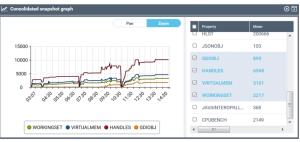
Displaying consolidated snapshot graph
To display the graph of consolidated snapshot:
1. Access the HOPEX Supervision console.

2. In the HOPEX Supervision console tool bar, click Consolidated snapshots Graph  .
.
.3. In the right pane select or clear the properties you want to display or not in the graph.