Updating a Scenario
Clicking the editor Update Scenario button takes into account scenario object modifications.
It could be that the editor displays an error message on certain modified objects. This indicates that the object is not taken into account in the scenario.

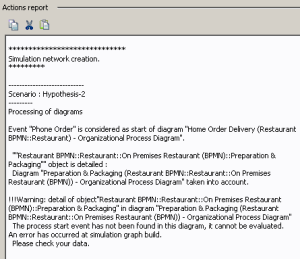
If this error message persists after updating the scenario, this means that an error has been detected in the object description. In this case, display the scenario report to localize the source of the error.
There is no start event in the organizational process diagram. If you do not specify the event to be taken into account to activate a described process, the following error message appears in the scenario report: