Determining Tasks to be Executed
The auditor needs to consult:
• his/her work program.
• the global work program, for a clearer view of tasks to be executed.
To access your work program:
 In Home > My Desktop > Navigator, cliquez sur My Work Program.
In the right pane of the window appears the tree of audits on which you must intervene.
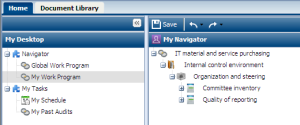
 The lead auditor can access the complete work program, including audit activities which do not concern him/her directly.To print the work program you can export it under Excel. For more details, see Exporting the workload under Excel.
By selecting an object in the work program tree, you open its properties page.