Defining Cell Content (Windows Front-End)
Defining cells consists of indicating which type of link between the two objects you wish to see in the matrix. You can display this link:
• by selecting one of the links proposed in the list.
• by creating a query that will find links between the two object types.
Selecting a link
To complete the cells of the matrix via an existing link:
1. See Accessing Matrices.
2. In the matrix window, select Cell > Define.
The Definitions of Cells dialog box opens.
3. Select a link and click OK.
Cells of the matrix are filled.
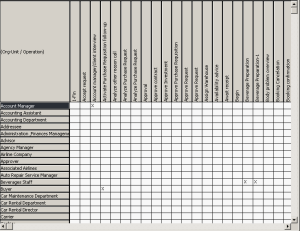
 Matrices allow you to display one of the characteristics of the selected link. By default, the Contents displayed in a cell is an X indicating that a link exists between the objects in row and column.
Creating a query
In a query, the source corresponds to the row and the target to the column.
Take the example of the Org-Unit/Operations matrix, with org-units in rows and operations in columns.
To display operations of which org-units are those defined in the lines of the matrix, you will use the following query:
Select [Operation] Where [Participant].[Intervening Party Assignment].[Assigned Agent]=&row