Classifying the Tags
If necessary, you can classify the tags in the folders.
To classify the tags:
1. Access the Tags feature.

2. Right-click tags and select New > Tag Folder.
3. In the Name field, enter a tag classification name.
Example: "Travel".
The folder is added to the Tags folder.
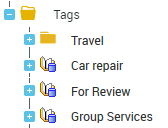
4. In the Tags tree, select a tag and drag and drop it to the tag classification folder.
Example: move the "Hotel" and "Rental" tags to the "Travel" folder.