Using the Comment Tab/Page of an Object
To enter or modify a comment associated with an object:
1. Open the property page of the object of interest to you.
• (Windows Front-End) select the Comment tab.
• (Web Front-End) in the drop-down list select Comment
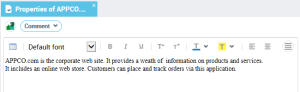
The comment entered will automatically appear in the generated document.
In this tab, icons give access to text editing functions (cut, copy, paste and spell check, etc.).
To create a new paragraph while entering the comment:
 Press <Enter>.
When several types of text are available for the same object, a drop-down list allows you to select the type of text entered.
 To comment a diagram and the object it describes in HOPEX Windows Front-End, select Diagram > Properties and Diagram > Described Object > Properties.