Reversing Position of Orthogonal Lines
To reverse the position of an orthogonal line relative to the objects to which it is attached:
 Double-click the joint in the orthogonal line: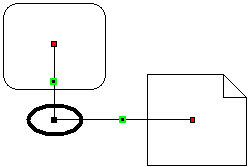
You should obtain the results below:
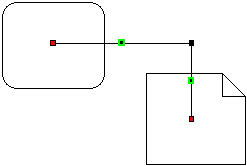 Double-click the joint in the orthogonal line: