Preparing the Work Environment
In the context of the HOPEX IT Architecture solution, a library can hold all the elements of your project: processes and org-units, for example.
 Libraries are collections of objects used to split repository content into several independent parts. They allow creation of virtual partitions of the repository. In particular, two objects owned by different libraries can have the same name.
An Enterprise is used to represent a work context.
An enterprise is a purposeful undertaking, an effort conducted by one or more organizations, aiming at delivering goods and services, in accordance with the enterprise mission in its changing environment. In the course of its development, the enterprise must adapt to its environment and establish the transformation objectives and goals to be achieved as well as the strategic action plans used to achieve these objectives. The development and achievement of the different adaptation and transformation stages can lead to a modification of the organization's boundaries. This requires the implementation of an integrated team, under the responsibility of a governing body, to involve the stakeholders in the transformation. For more information on managing libraries, see Enterprises and libraries.
Accessing the list of libraries with HOPEX IT Architecture
To access the list of libraries from the Environment navigation pane:
 Select Standard Navigation > Standard Navigation.
The library tree appears.
Creating a library with HOPEX IT Architecture
To create a library from the Environment navigation pane:
1. Select Standard Navigation > Standard Navigation in the navigation menu.
The library tree appears.
2. Right-click the Library folder and select New > Library.
A Library creation dialog box opens.
3. Specify the the name of the library.
4. If appropriate, enter the name of the Owner.
5. Click OK.
The library appears in the tree.
Accessing the list of enterprises with HOPEX IT Architecture
To access the list of enterprises from the Environment navigation pane:
Select Enterprises > Enterprises.The list of enterprises is displayed.
Creating an enterprise with HOPEX IT Architecture
To create an enterprise from the Environment navigation pane:
1. Select Enterprises > Enterprises in the navigation menu.
The list of enterprises is displayed.
2. Click the New button.
An enterprise creation dialog box opens.
3. Specify the name of the enterprise.
4. Select the IT Transformation check box.
5. Also specify the types of Sub Containers.
6. Click Next.
7. Enter the name of the Work Environment that you want to create and specify its IT Architecture (Private Workspace).
8. Click OK.
The tree for the steps of a IT Architecture (Private Workspace) type is created automatically.
9. Click OK.
For more details on the environments, see Managing an enterprise.Choosing a Working Environment with HOPEX IT Architecture
If you work in the context of a work environment, the lists will distinguish between objects held by the environment and objects imported into the environment.
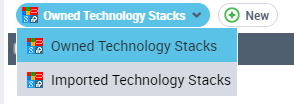 To change your working environment, see Choosing a Work Environment.
Switching Between Profiles with HOPEX IT Architecture
To switch between profiles with the HOPEX solutions, see "Switching between Profiles", page 36.