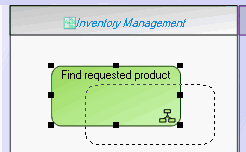
Creating a System Process Participant
In a system process diagram, a participant enables grouping of tasks assigned to an application or service.
To create a participant:
1. In the diagram insert toolbar, click the arrow at the right of the  Participant button.
Participant button.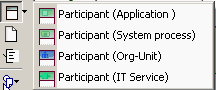
2. In the list proposed, select for example Application Participant and click in the diagram.
The participant creation dialog box appears.
3. Click the arrow  at the right of the Application field and select Connect Application.
at the right of the Application field and select Connect Application.The query dialog box appears.
4. Find the application and click Connect.
5. In the participant creation dialog box, click OK (Web Front-End) or Finish(Windows Front-End).
The participant created appears in the diagram with a header containing the name of the assigned application.
 To place a participant with assignment as yet unknown, select the Participant icon.
To assign a task to a participant:
 place the task within the frame of the participant.